> For the complete documentation index, see [llms.txt](https://participanthelp.dscout.com/llms.txt). Markdown versions of documentation pages are available by appending `.md` to page URLs; this page is available as [Markdown](https://participanthelp.dscout.com/getting-started/dscout-app/navigating-through-the-scout-mobile-app.md).
# Navigating through the scout mobile app
Welcome to the Dscout mobile app! Learn more about our in-app experience by reading through one or all of the options below:
## The Explore tab
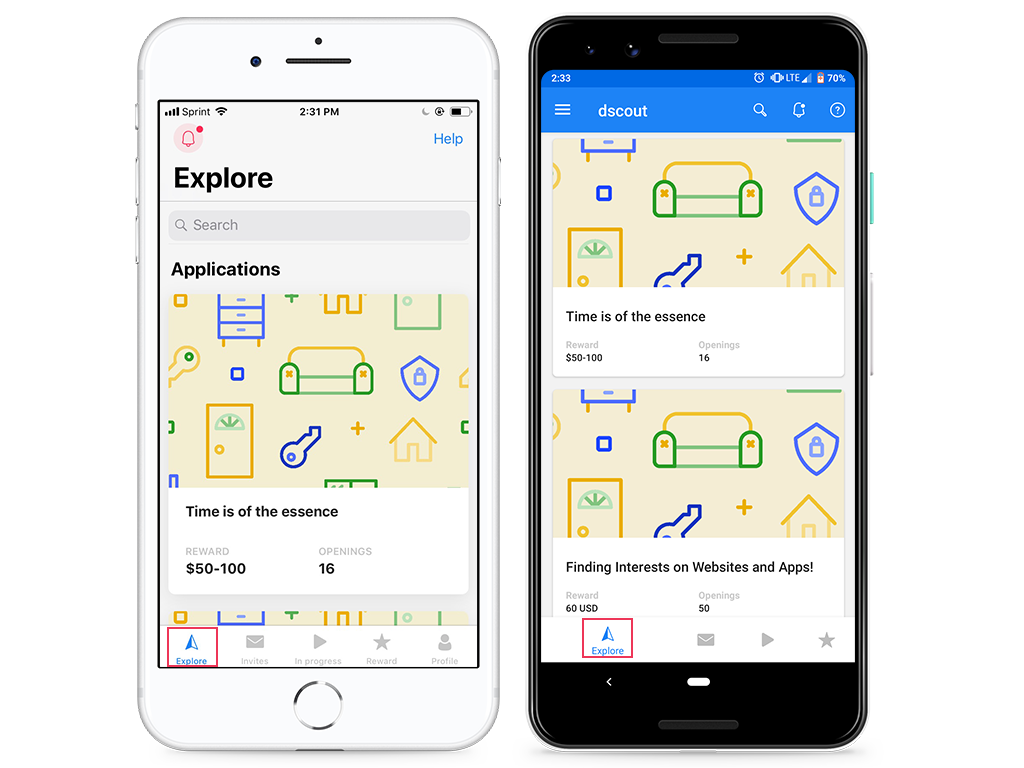
[Applications](/getting-started/dscout-overview/applying-to-studies.md) and [Single-session studies](/single-session-studies/participating-in-single-session-studies.md) appear on this tab! Applications are how you put your name in the hat to be selected for paid studies, so keep in mind that when you complete one of these, you're not participating in a paid study just yet! You can read more about the available studies Dscout is currently offering on the Explore tab and decide which one(s) you want to apply to.
 {% hint style="info" %}
**Note:** Don’t see an **Explore** tab? You were likely invited by an external recruiting agency to join a single study through Dscout. Participants recruited this way are limited to externally recruited projects.
{% endhint %}
## The Studies tab
The Studies tab includes a few sections, so we've broken them down for you below:
### Open
**Invitations**
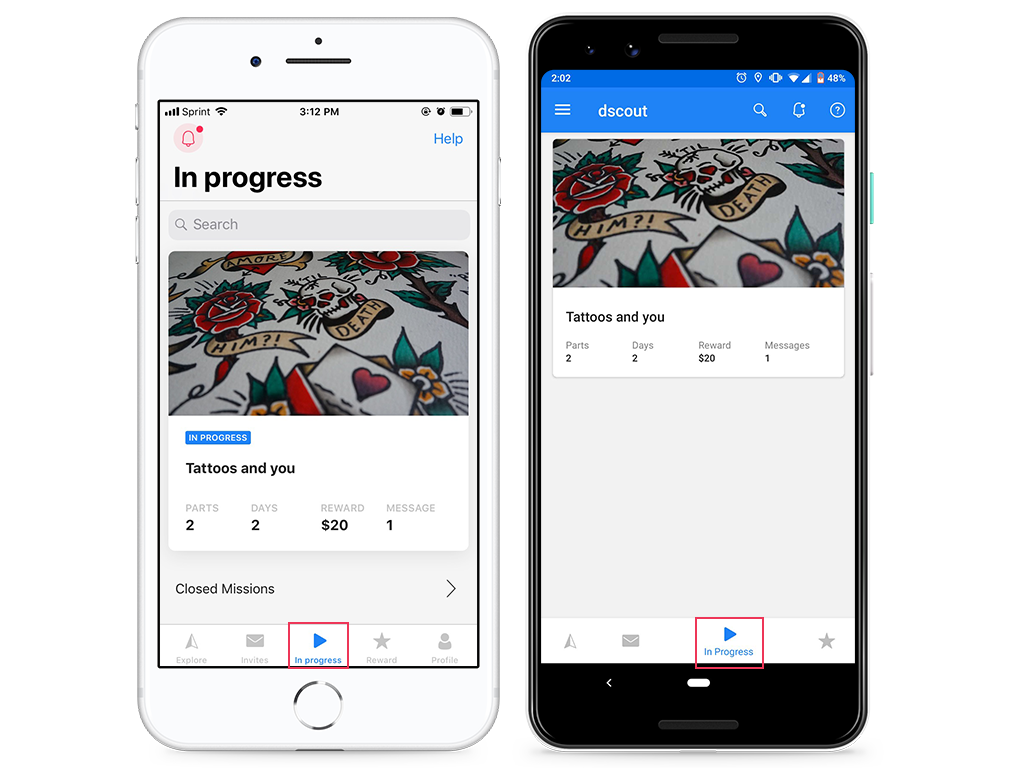
Studies in this section are the ones you've been invited to, but haven't yet accepted the invitation for. To accept your invitation, tap on the study image, then select "Accept invitation." You can also reject an invitation here if you're no longer interested.
**In Progress**
The studies in this section are the ones that you’re currently participating in, or have recently finished but haven't been closed by the project team yet. Studies will remain in this tab until the study deadline or until your study leader closes you out.
***Pro tip:** If you’ve finished your study, but it’s still showing up in this tab, don’t worry that you haven’t finished! This just means that your study leader hasn’t closed you or the study yet. Wondering about your payment? Tap* [*here*](/getting-paid/payment-basics/when-to-expect-your-reward.md) *to learn about the payment timeline for projects!*
### Closed
This is where you can navigate to view past studies you've participated in. In this tab you'll see the date the study closed; when you tap on a closed Diary or interview study, you'll still be able to message with your study leader in case you need to! When you tap on a closed single-session study, you'll see information about whether you qualified for the incentive along with the date your incentive will be (or was!) paid.
{% hint style="info" %}
**Note:** Don’t see an **Explore** tab? You were likely invited by an external recruiting agency to join a single study through Dscout. Participants recruited this way are limited to externally recruited projects.
{% endhint %}
## The Studies tab
The Studies tab includes a few sections, so we've broken them down for you below:
### Open
**Invitations**
Studies in this section are the ones you've been invited to, but haven't yet accepted the invitation for. To accept your invitation, tap on the study image, then select "Accept invitation." You can also reject an invitation here if you're no longer interested.
**In Progress**
The studies in this section are the ones that you’re currently participating in, or have recently finished but haven't been closed by the project team yet. Studies will remain in this tab until the study deadline or until your study leader closes you out.
***Pro tip:** If you’ve finished your study, but it’s still showing up in this tab, don’t worry that you haven’t finished! This just means that your study leader hasn’t closed you or the study yet. Wondering about your payment? Tap* [*here*](/getting-paid/payment-basics/when-to-expect-your-reward.md) *to learn about the payment timeline for projects!*
### Closed
This is where you can navigate to view past studies you've participated in. In this tab you'll see the date the study closed; when you tap on a closed Diary or interview study, you'll still be able to message with your study leader in case you need to! When you tap on a closed single-session study, you'll see information about whether you qualified for the incentive along with the date your incentive will be (or was!) paid.
 ## The Rewards tab
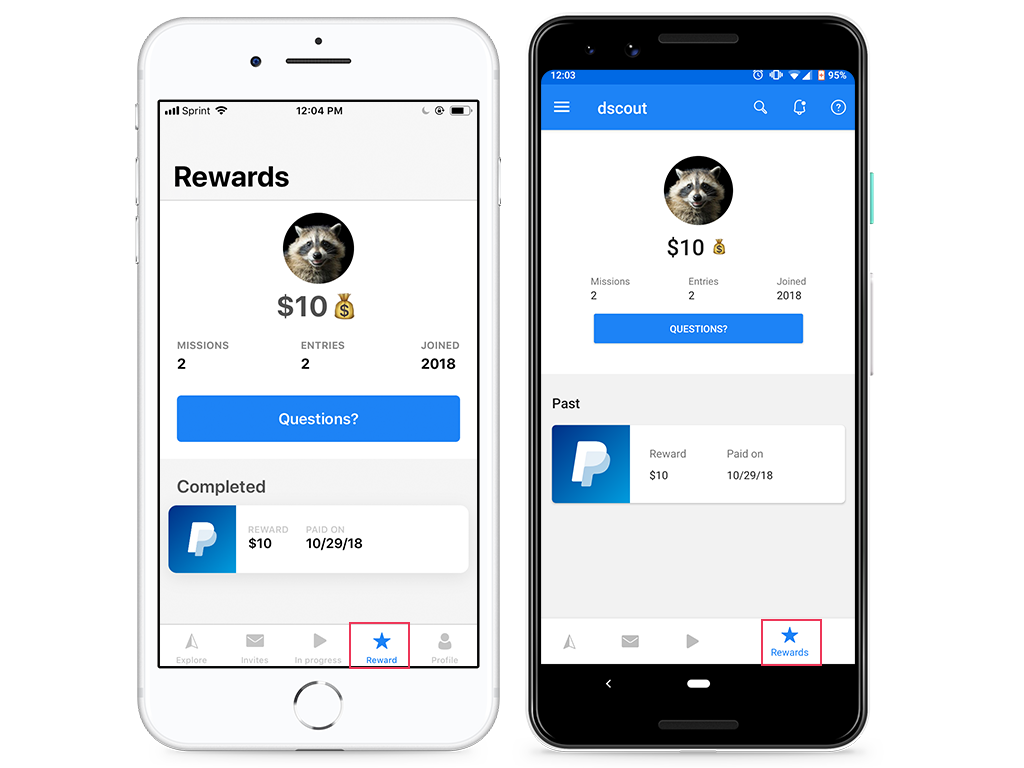
This tab allows you to reference all of your past payments with Dscout. Each payout will list the reward amount as well as the date you received it.
## The Rewards tab
This tab allows you to reference all of your past payments with Dscout. Each payout will list the reward amount as well as the date you received it.
 ## The Profile tab
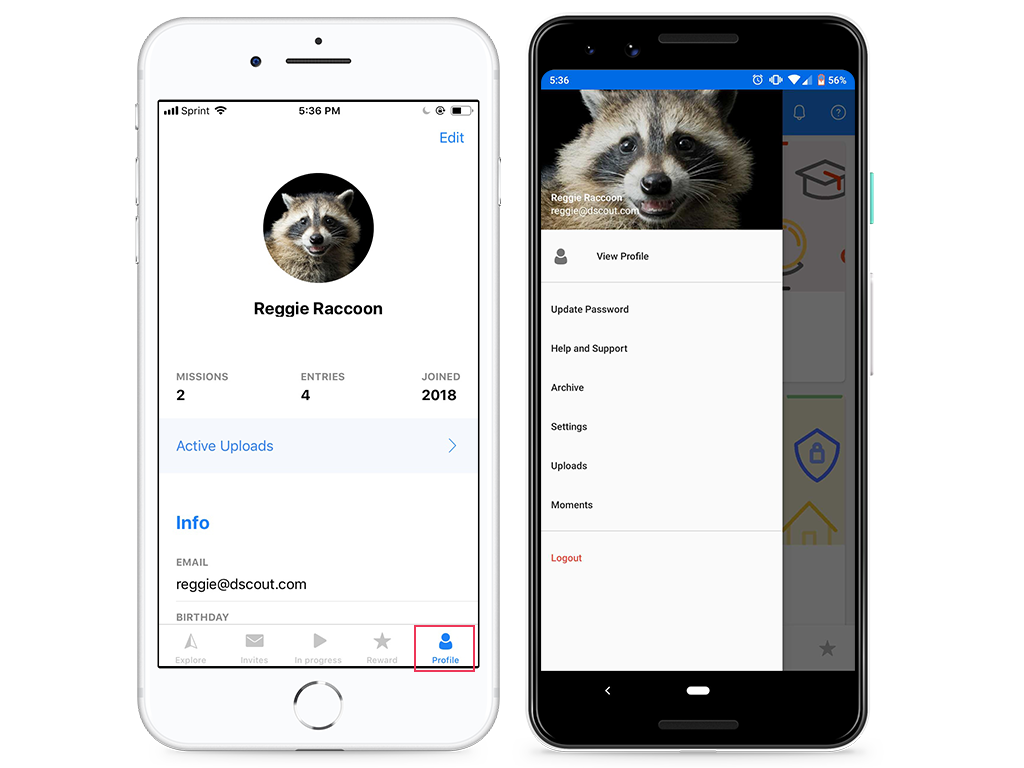
Access and update your profile here. You’ll be able to change your email, reset your password, and update information about yourself (including your profile picture and extended profile fields).
## The Profile tab
Access and update your profile here. You’ll be able to change your email, reset your password, and update information about yourself (including your profile picture and extended profile fields).
 ---
# Agent Instructions
This documentation is published with GitBook. GitBook is the documentation platform designed so that both humans and AI agents can read, navigate, and reason over technical content effectively. Learn more at gitbook.com.
## Querying This Documentation
If you need additional information that is not directly available in this page, you can query the documentation dynamically by asking a question.
Perform an HTTP GET request on the current page URL with the `ask` query parameter, and the optional `goal` query parameter:
```
GET https://participanthelp.dscout.com/getting-started/dscout-app/navigating-through-the-scout-mobile-app.md?ask=&goal=
```
`ask` is the immediate question: it should be specific, self-contained, and written in natural language.
`goal` is optional and describes the broader end goal you are ultimately trying to accomplish on behalf of the user. GitBook uses it to tailor the answer towards what is most useful for that goal.
The response will contain a direct answer to the question and relevant excerpts and sources from the documentation.
Use this mechanism when the answer is not explicitly present in the current page, you need clarification or additional context, or you want to retrieve related documentation sections.
---
# Agent Instructions
This documentation is published with GitBook. GitBook is the documentation platform designed so that both humans and AI agents can read, navigate, and reason over technical content effectively. Learn more at gitbook.com.
## Querying This Documentation
If you need additional information that is not directly available in this page, you can query the documentation dynamically by asking a question.
Perform an HTTP GET request on the current page URL with the `ask` query parameter, and the optional `goal` query parameter:
```
GET https://participanthelp.dscout.com/getting-started/dscout-app/navigating-through-the-scout-mobile-app.md?ask=&goal=
```
`ask` is the immediate question: it should be specific, self-contained, and written in natural language.
`goal` is optional and describes the broader end goal you are ultimately trying to accomplish on behalf of the user. GitBook uses it to tailor the answer towards what is most useful for that goal.
The response will contain a direct answer to the question and relevant excerpts and sources from the documentation.
Use this mechanism when the answer is not explicitly present in the current page, you need clarification or additional context, or you want to retrieve related documentation sections.